 TownNet
Still under development
Internet out? Your neighborhood can still check in.
TownNet is a small local network for the days when the power is on but the internet is not. One computer and an ordinary Wi-Fi router give every phone on the street a place to check in, ask for help and share news.
The kit is not ready yet. It will be offered here once it has been set up and tested on real streets. Until then, ask us about setup help.
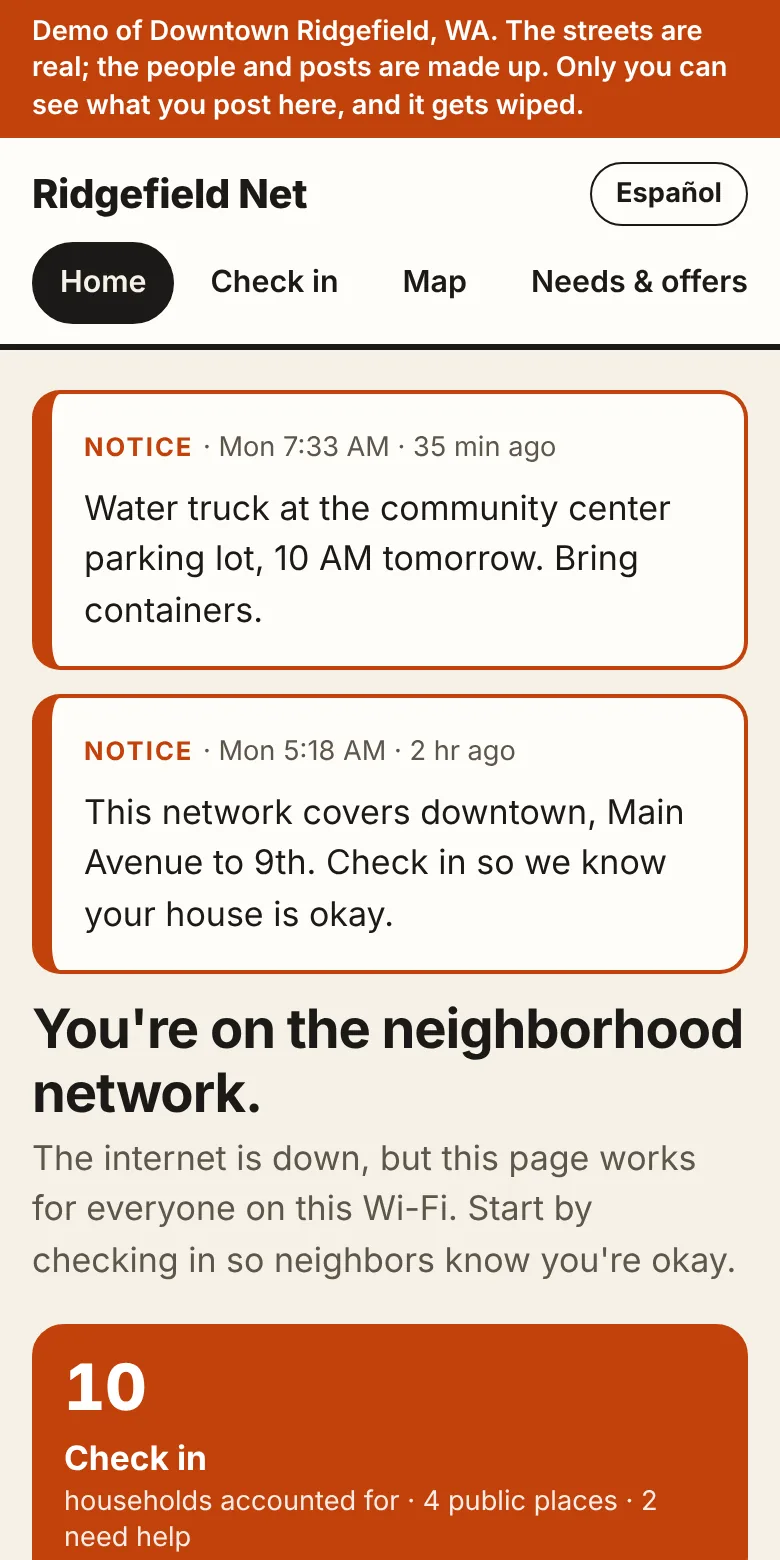
The day it is for
A storm takes down a fiber line. Homes still have power, or a generator, but phones show no service and nothing loads. Nobody knows who is fine, who needs medicine kept cold, or which road is closed.
TownNet is something a neighborhood sets up ahead of time for that day.
-
The internet goes out
The power is still on, or generators are running.
-
A volunteer starts the hub
A laptop plugged into a Wi-Fi router, kept ready with a one-page playbook.
-
The signal goes house to house
Houses near the hub pick the town Wi-Fi on a phone and the page opens by itself. Houses farther out have it passed along to them.
-
Everyone can see who is okay
Households check in, the map fills in, and requests for help show up in red.
How it gets from house to house
One router cannot cover a neighborhood, and it does not have to. Each house that gets the signal can pass it to the next, so the network grows along the street like the branches of a tree.

-
The hub
A laptop and a spare router in a front window. Its Wi-Fi reaches the houses around it.
-
Houses in range just join
They pick the town Wi-Fi on a phone and the town page opens. There is no app to install and no account to create.
-
A house at the edge passes it on
One device in a window facing the signal repeats it for the houses beyond: a Wi-Fi extender, or a laptop or phone used as a hotspot.
-
The next houses join that one
One of them adds the next relay, and so on, down the street and around the corner. The town page walks each house through it.
It is a chain, not a mesh: if a relay loses power, the houses beyond it drop off until it is back, and the operator's map shows which houses are on which branch.
When the signal cannot reach
A creek, a wide road or a stretch of woods can be more than any relay will cross. So a town often ends up as several nets, like islands: groups of houses that can reach each other, with a gap between them that no signal crosses. Phones are the ferries.

-
Each island has its own hub
On the far side of the gap, someone starts a second hub with their own laptop and router. It is a net of its own, with its own name and its own operator.
-
A phone carries the news across
A phone that has opened the town page on one net keeps that net's news. When it joins the next net and opens the page there, it hands the news over and picks up what that net has. Nobody has to do more than walk or drive across.
-
What travels, and what stays
Check-ins, the operator's notices, and needs and offers travel. Chat, the board and shared files stay on the net they were written on.
-
Carried, not changed
Each hub signs what it writes, so a phone can carry news but cannot alter it or make any up. A hub keeps nothing from another net until its operator has accepted that net, using a short code the two operators compare.
Carrying news by phone has been run between two hubs in testing. It has not been tried on real phones yet.
What neighbors can do
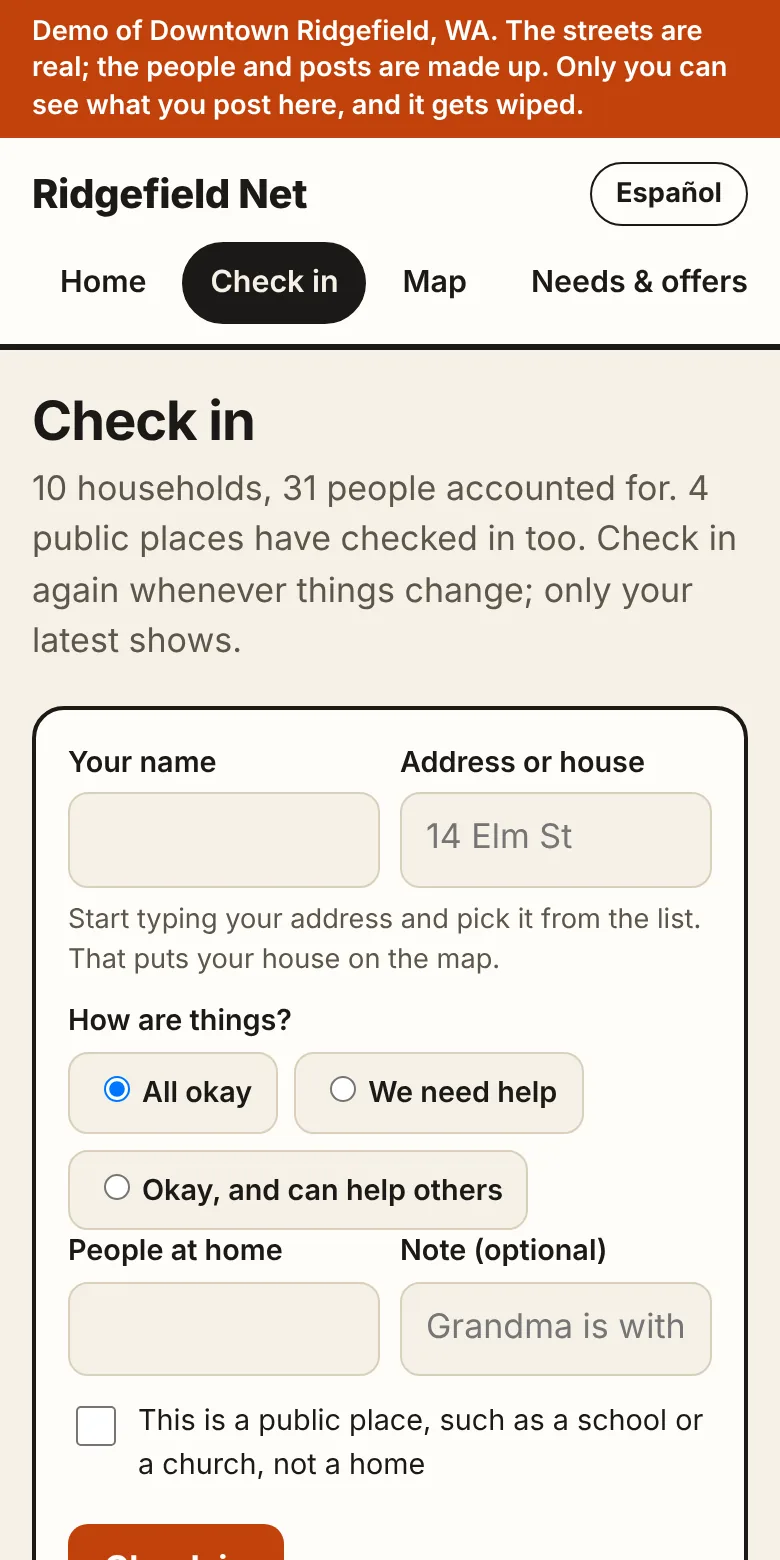
Check in
A name, an address, and one of three answers: all okay, we need help, or okay and can help others.
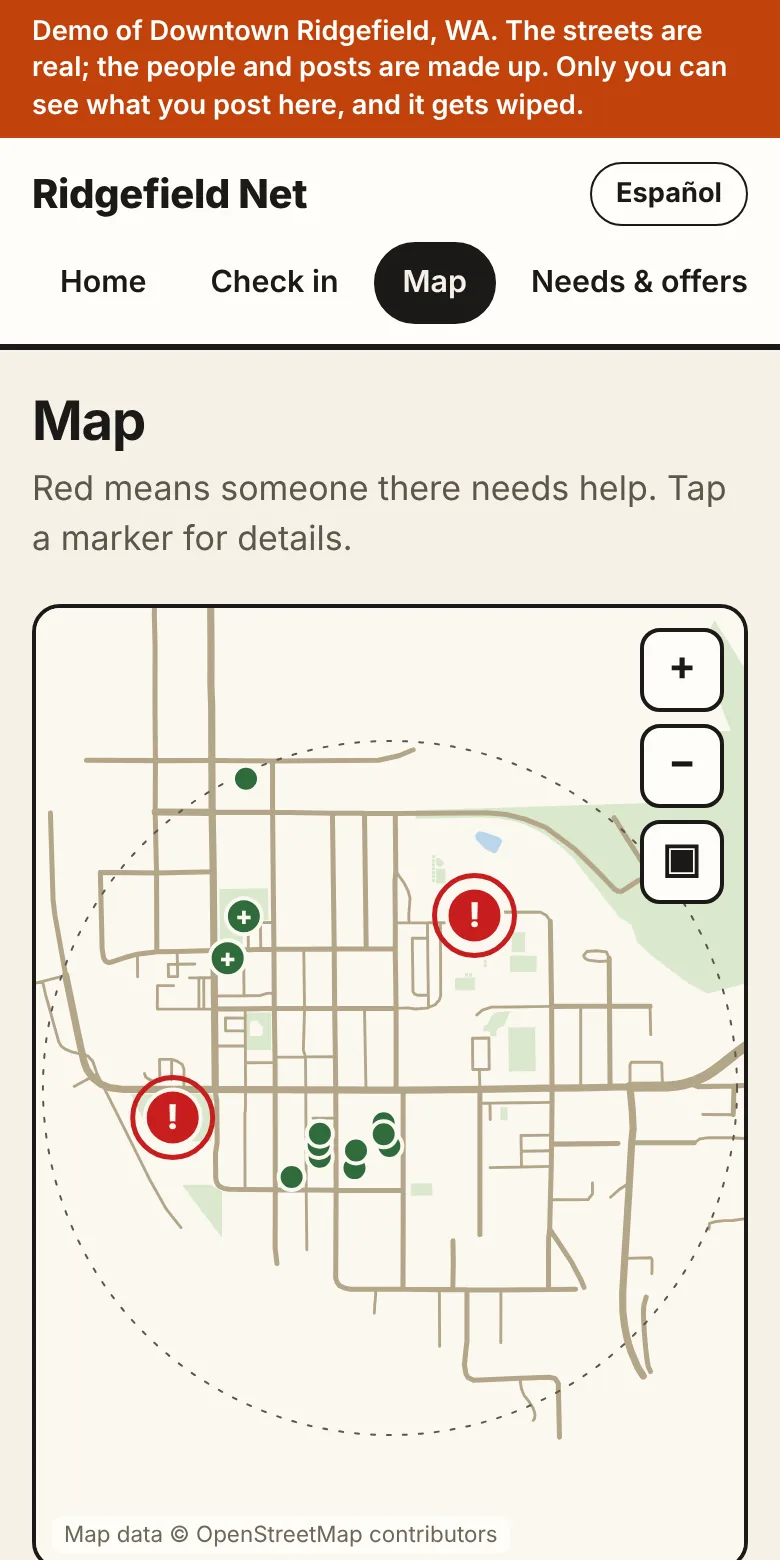
See it on the map
Your own streets, downloaded once while the internet still works. Green is okay. Red needs help.
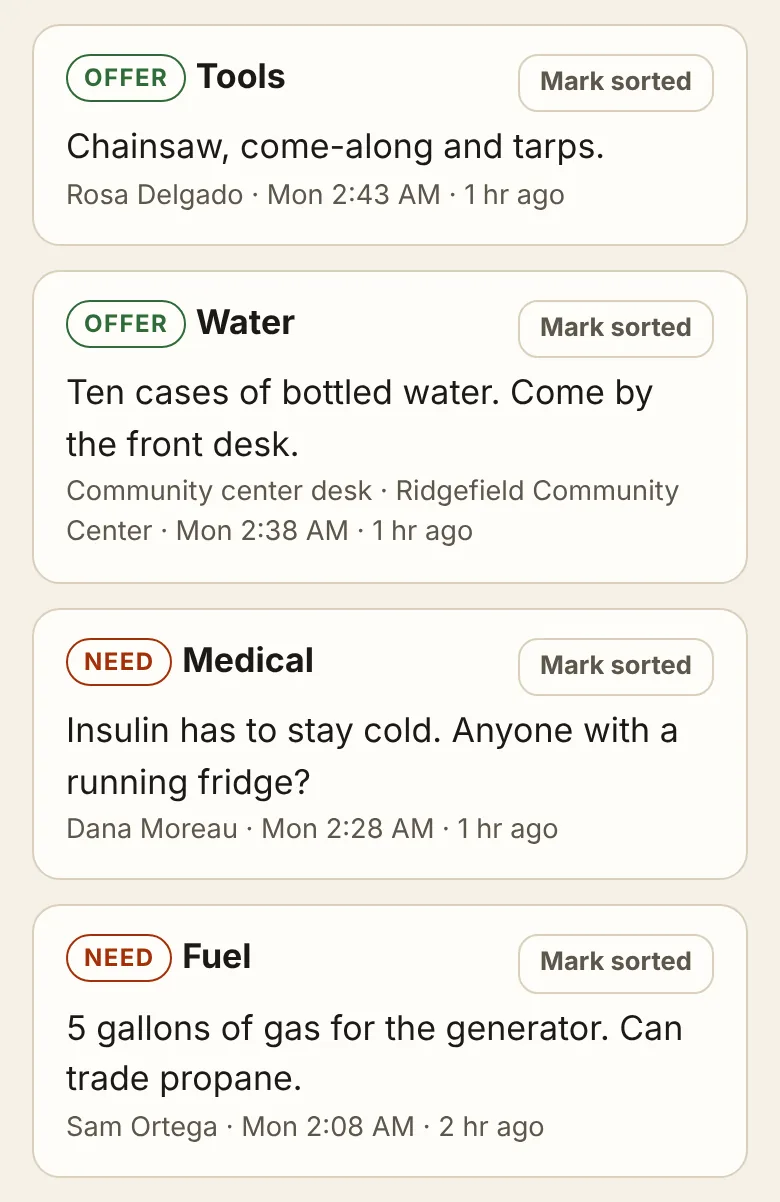
Ask and offer
A chainsaw to lend, a fridge for insulin, gas for a generator. Each one is marked sorted when it is.
Notices, a board, chat and files
The operator posts notices everyone sees first. Neighbors post road closures and shelter hours, talk in a shared chat, and share a photo of the water shutoff map.
On any phone, of any age
The town page is an ordinary web page. Anything with a browser can use it, and there is nothing to install.
Screens are from the demo. Map data © OpenStreetMap contributors.
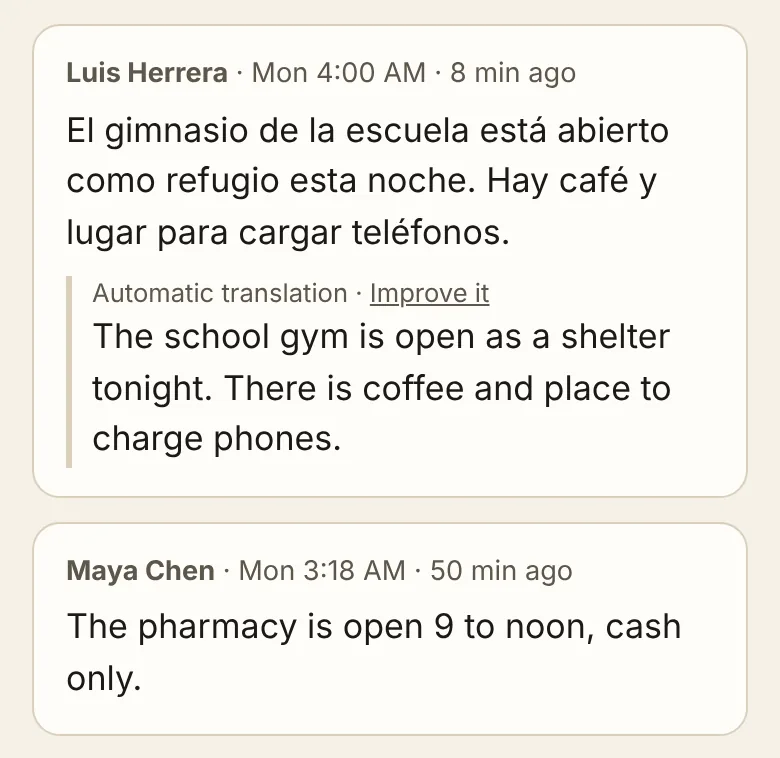
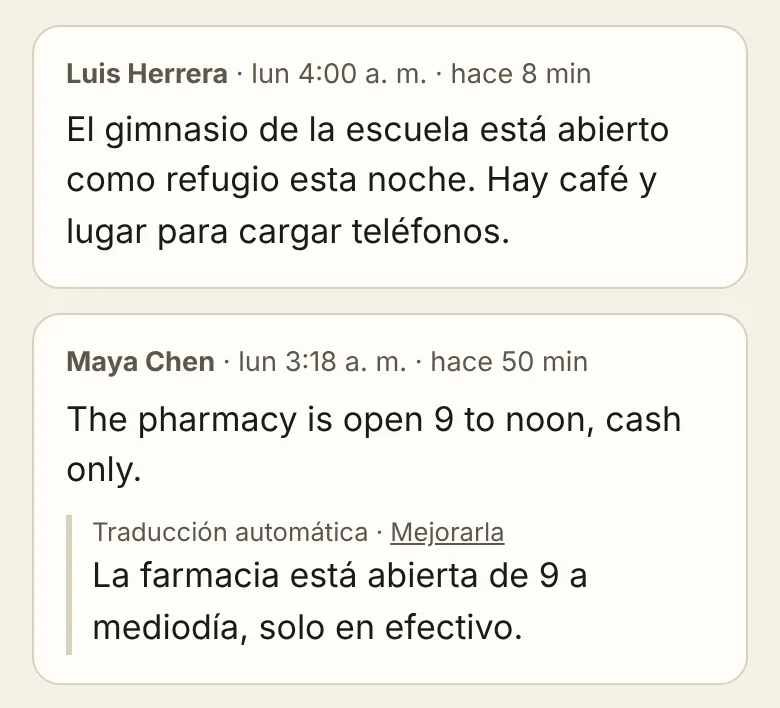
In English and Spanish
Every page comes in both languages, and each phone chooses its own.
What neighbors write is translated on the hub itself, with no internet, and marked as automatic. A neighbor who reads both languages can replace a translation with a better one.
Try the demo
The demo is the real program, running online with the street map of downtown Ridgefield, Washington.
The streets are real. The people and posts are made up. You get a copy of the town to yourself: nobody else sees what you post there, and it is wiped regularly.
Setting one up
- A laptop that can stay on for the duration
- A spare Wi-Fi router, separate from your internet router
- An hour, while the internet works, to download your streets
- The one-page playbook, printed, in English and Spanish
- A rehearsal with the people who will run it
What it can reach, and what it cannot
The town network is there for one thing: the town page. There is no internet on it, and the setup steps are written so that it leads to nothing inside anyone's home.
-
Your phone
Joining the town Wi-Fi is like joining the Wi-Fi at a library. A phone that joins it has left your home Wi-Fi, and your home network is no part of it. As on any public Wi-Fi, other people's devices are on the same network as yours.
-
Your home network
If your router helps carry the network on, it treats the town network the way it treats the internet: as outside. Your computers, printers and cameras are as far out of reach as they are from the internet. Anything you have opened to the internet yourself, such as remote access to a camera, you switch off first.
-
The house after yours
It connects through your router's guest network, set so that guests cannot reach your home devices. You try that with a phone before sharing it, and your own Wi-Fi password is never handed out. A router that fails the check is left out of the chain.
-
What you post
Check-ins, requests and messages are there for everyone on the network to read. That is their purpose. Check-ins, needs and offers are also carried to neighboring nets, where people read them too. Post what you would pin to the notice board at the mailboxes.
There are no accounts and nothing to sign in to. What neighbors post is kept on the hub computers in your town and, between nets, on the phones that carry it. The network has no internet connection to send it anywhere else. This website has no ads. It uses Mosaicdeck to count visits: the pages opened, the site a visitor came from, the country, and the kind of device and browser. It sets no cookies, and nothing typed into the form is sent to it.
Who it is for
- Homeowner and neighborhood associations
- Small towns and rural roads
- Volunteer emergency response teams
- Churches, schools and community centers
- Mobile-home and senior communities
What it is not
- A replacement for 911 or emergency services
- Useful without power: the hub and the router need it
- Farther-reaching than its Wi-Fi and the relays you add
- Private messaging. Everything posted is there for the whole network to read.
- Something to set up during the outage. It has to be ready before.
- Finished. It is still under development and has not yet been through a real outage.
Ask about setup help
We set TownNet up for towns and neighborhoods as a paid service. It starts with a conversation about your streets and the people who would run it.
TownNet is still under development, so we are working with a few places at a time and keeping a waiting list. Tell us about yours and we will reply by email.